

You can use the public resource directory (PRD) to search for and connect with social care resources like food, housing, or child care.
To find the help you need:
- Go to the public resource directory.
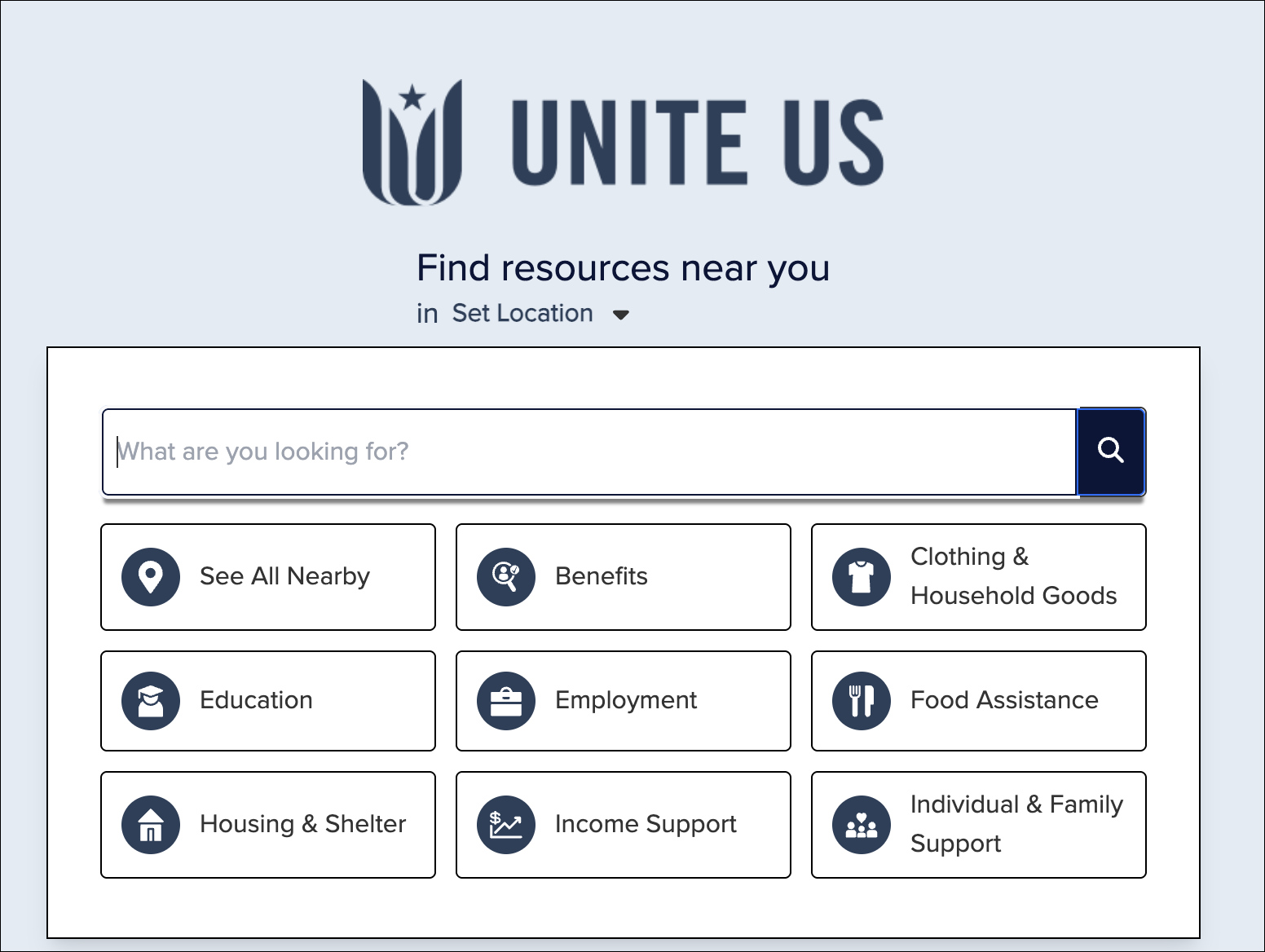
- In the prompt that appears, click Allow to share your current location or manually enter a location to find nearby programs.
- Type what kind of help you need in the search bar or select one of the listed service types. Click See All Nearby to browse all available resources.
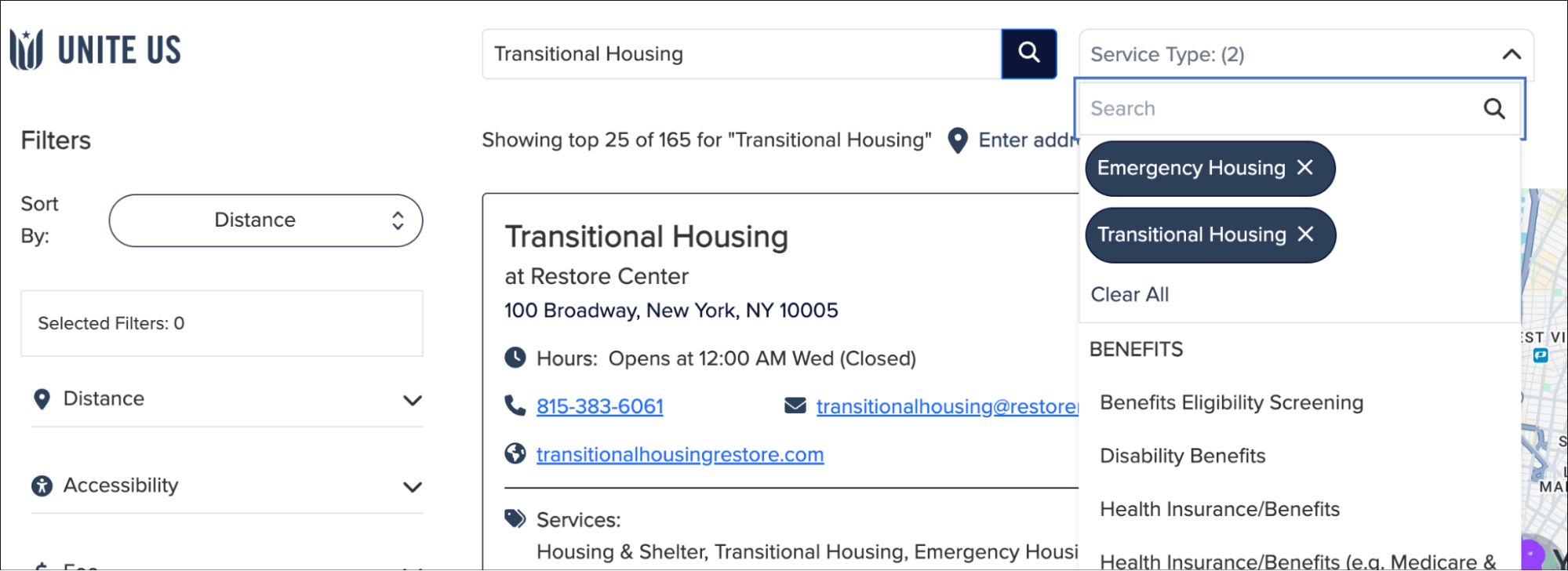
- If you’re looking for help with more than one thing, select another service type in the Service Type filter on the search results page.
- If you don’t see something that meets your needs, you can try:
- Entering a different search term, organization name, or service type in the search bar.
- Selecting another service type in the Service Type filter.
- Clicking the address link and entering a different address or ZIP code in the Change location window.
- Changing the way the results are sorted.
- Narrowing your search results by things like distance, gender, age, cost, or population.
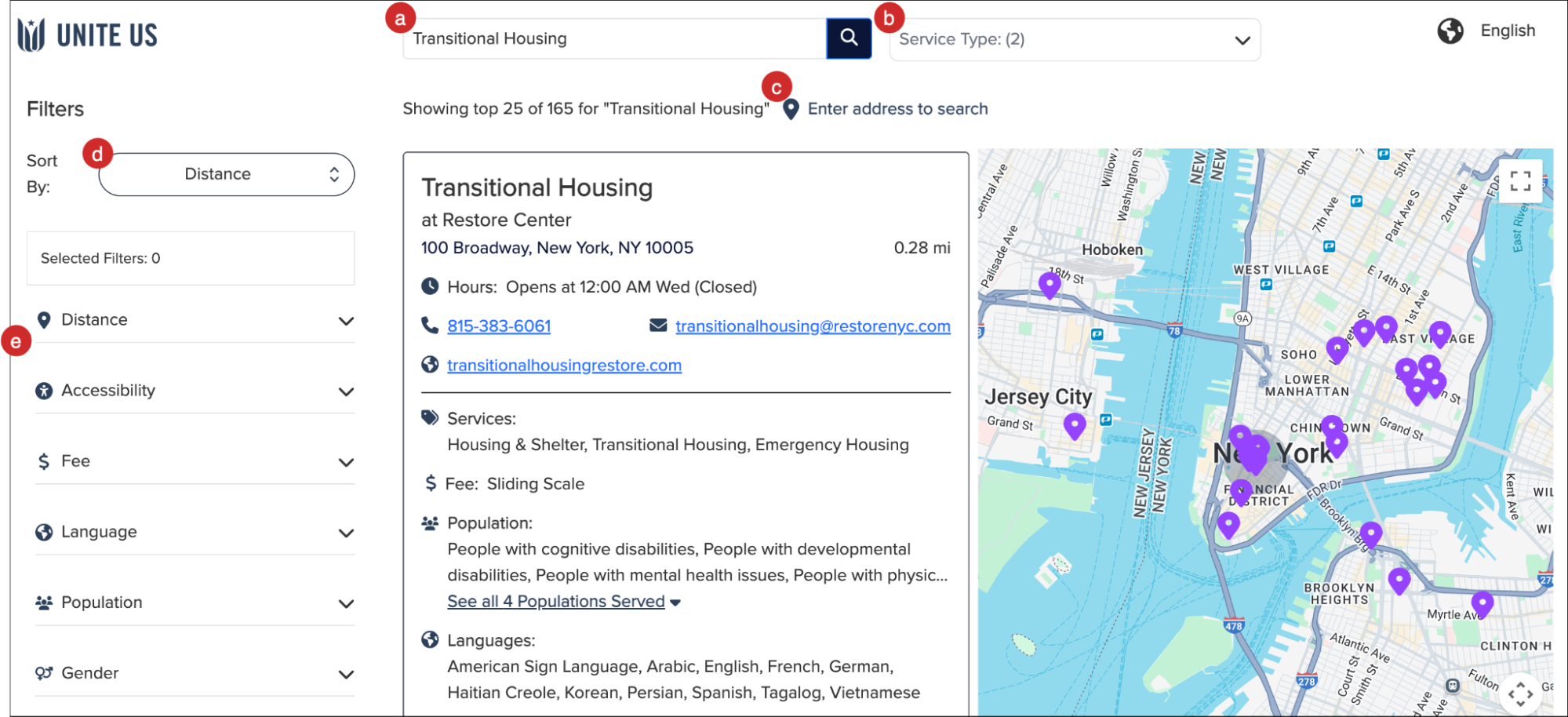
- Click the name of a program to get more information, like when they’re open, how much services cost, and whether you’re eligible.
Proprietary and Confidential